From Sketch to Finished Building: Construction Video Prompt
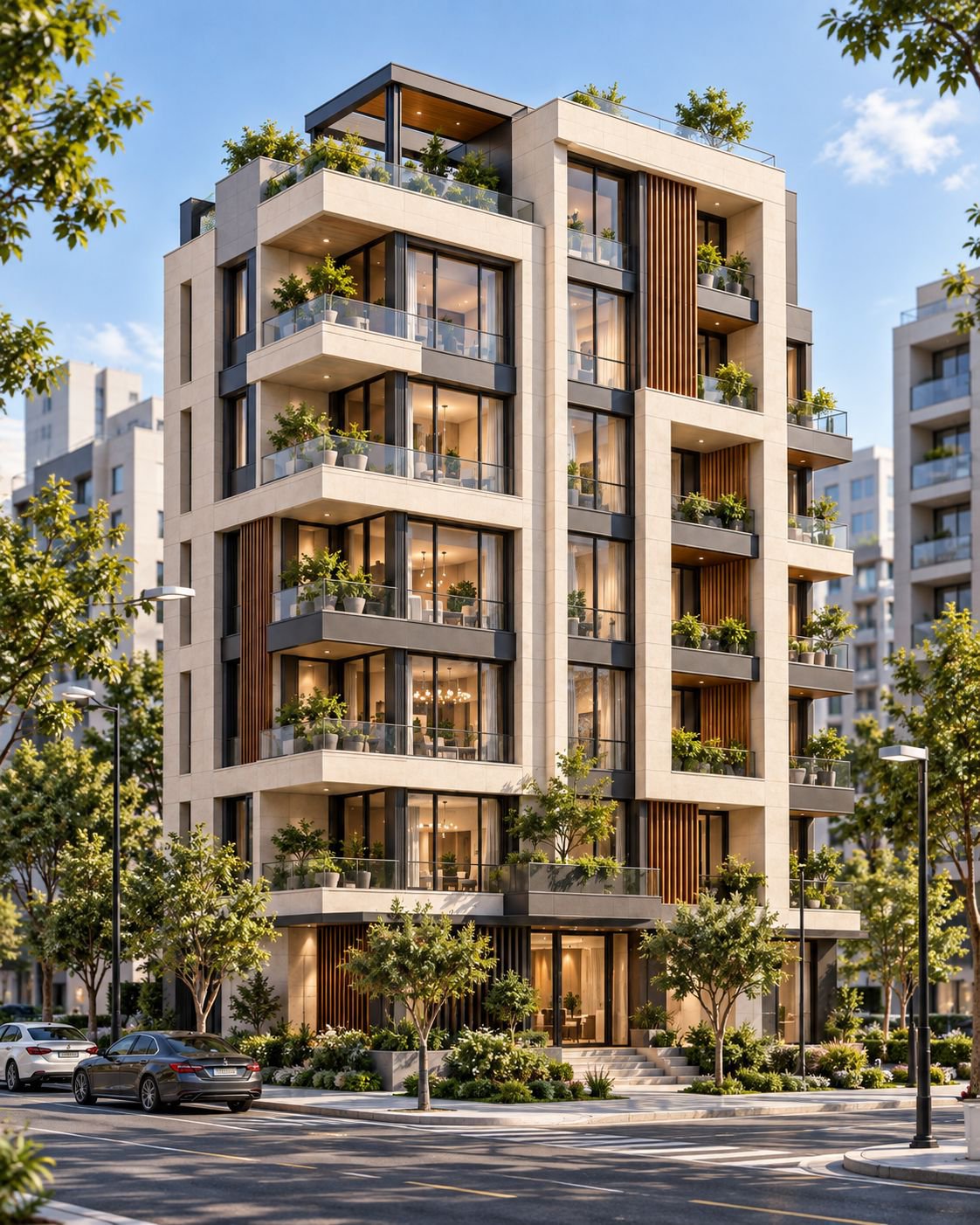
A hand sketch of a seven-storey residence develops on paper, then transitions into its real construction and the exact finished building.
Start and end frames
Free master prompt
If your browser blocks copying, select the complete text below.
Create a 10-second cinematic architectural construction video based on the uploaded reference image.

The uploaded image is the EXACT FINAL TARGET.

0.0–3.0s:
Begin with a clean architectural drawing on white paper.
Show the building being designed by hand in a professional architectural sketch style.
First draw the main building outline, then progressively add doors, windows, balconies, facade divisions, and key architectural details.
The sketch must clearly represent the SAME building shown in the uploaded reference image.
Keep this part elegant, precise, minimal, and realistic, like an architect developing the facade drawing on paper.

3.0–10.0s:
Transition naturally from the architectural drawing into the real construction process of the SAME building.

Show the same building progressing naturally from early construction to full completion:
structure → floor-by-floor construction → facade and windows → balconies and details → final completed building.

Keep the construction realistic, clean, fast-paced, and visually smooth.

MOST IMPORTANT:
The final frame of the video must be visually identical to the uploaded reference image.

Do not redesign or reinterpret the building.
Do not change the facade.
Do not change the geometry, proportions, balconies, windows, materials, colors, textures, landscaping, camera angle, framing, or surrounding elements.

The building at the end must be the exact same building shown in the uploaded image.

The architectural sketch at the beginning must also correspond to the same final building, especially the door positions, window layout, balconies, proportions, and facade composition.

No material changes.
No architectural changes.
No extra elements.
No removed elements.
No morphing into another design.
No random scene changes.

End the video by perfectly matching the uploaded reference image as the final frame.

Style: realistic architectural B-roll, professional architectural sketching, premium construction visualization, cinematic but natural, realistic materials, realistic workers and machinery, smooth construction progression, high-end architectural presentation.

No text, no logos, no watermark.
Vertical Reel settings
Duration 10 seconds · vertical 9:16 · 720 × 1280 · 24 fps · reference strength high · final-frame lock high · motion strength medium · hold the exact supplied-image frame at 10.0 seconds · no generated text or logos.
Frequently asked questions
Is this prompt free?
Yes. The complete master prompt is published in full on this page, free to copy and use — no purchase or sign-up is required.
What does this prompt create?
A construction video that starts as a hand sketch of a seven-storey residence drawn on paper, then transitions into the real build — structure, facade and planted glass balconies — and finishes on the exact building in the reference image.
How do I use this prompt?
Upload the reference image from this page as the final-frame target in an image-to-video tool such as Veo, Kling or Runway, paste the master prompt, set a vertical 9:16 canvas at 24 fps with a 10-second duration, then generate and compare the last frame with the reference image.
More free prompts
Go further: WORLD ARCH PRO collections
- Cinematic Studio Website System ♛ PRO · Locked
A complete multi-page prompt system covering brand, UX, motion, SEO and conversion states.
- Climate-Responsive Facade Visual Pack ♛ PRO · Locked
A tested family of facade prompts organised by climate, orientation, material and camera.
- Architectural Day-to-Night Motion Pack ♛ PRO · Locked
Camera-safe transitions, interior-light cues and weather variants for short-form video.
- Architectural Logo Motion Suite ♛ PRO · Locked
A coordinated set of grid, line, material and spatial logo reveals for multiple formats.
- Cinematic Architecture Background Pack ♛ PRO · Locked
A coordinated PRO set of loopable material, grid, shadow and spatial backgrounds.