BIM vs CAD for Architects: 9 Differences That Change the Workflow
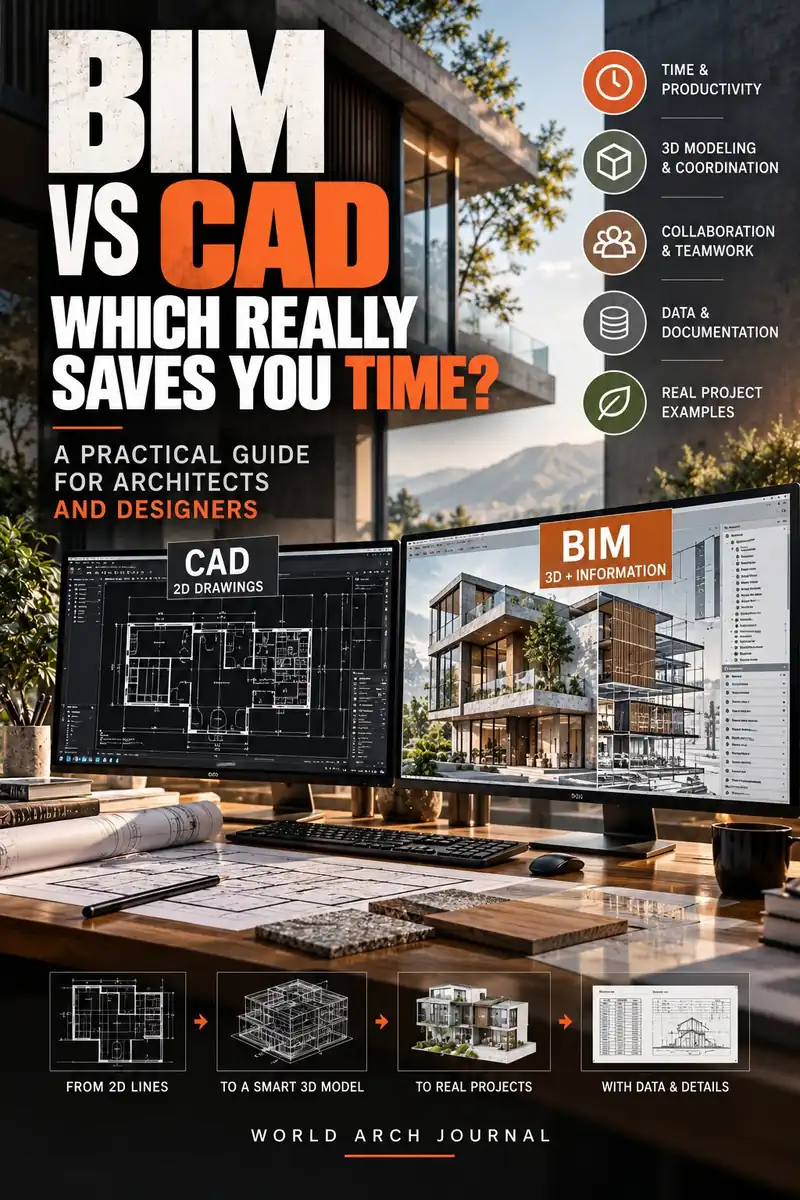
BIM is not simply a more advanced drawing package. CAD and BIM organise design information differently, so the real decision is about coordination, responsibility and the life of the building—not software fashion.
By World Arch Journal ·

Project file
- FORMAT: Evidence-led international digital practice guide
- AUDIENCE: Architects, BIM coordinators, students and small studios
- GEOGRAPHY: International · Project standards and appointments apply
- EDITORIAL LEAD: World Arch Journal
- PUBLISHED: 24 September 2026
- VISUAL MIX: 5 licensed real photographs · 4 original diagrams
“BIM versus CAD” sounds like a software comparison, but the deeper difference is organisational. CAD primarily helps a team draw and document geometry. BIM organises a structured information model from which drawings, schedules, quantities and other views can be produced. A CAD file can be extremely precise, and a BIM model can be poorly managed. The question is therefore not which label is newer. It is which information the project must coordinate, who needs it, and how long it must remain useful.
Autodesk describes CAD as a technology for precise 2D and 3D drawings, while BIM connects geometry with relationships, metadata and behaviours of building components. ISO 19650 frames BIM-related work more broadly as information management across an asset’s life cycle. Those definitions are important because they prevent a common mistake: treating BIM as “3D CAD with nicer views”.
This guide turns the distinction into nine practical decisions for architects, students and small studios. It is an editorial guide, not a software procurement specification. National standards, client requirements, appointment scopes and project information requirements always take priority.
What CAD and BIM actually describe
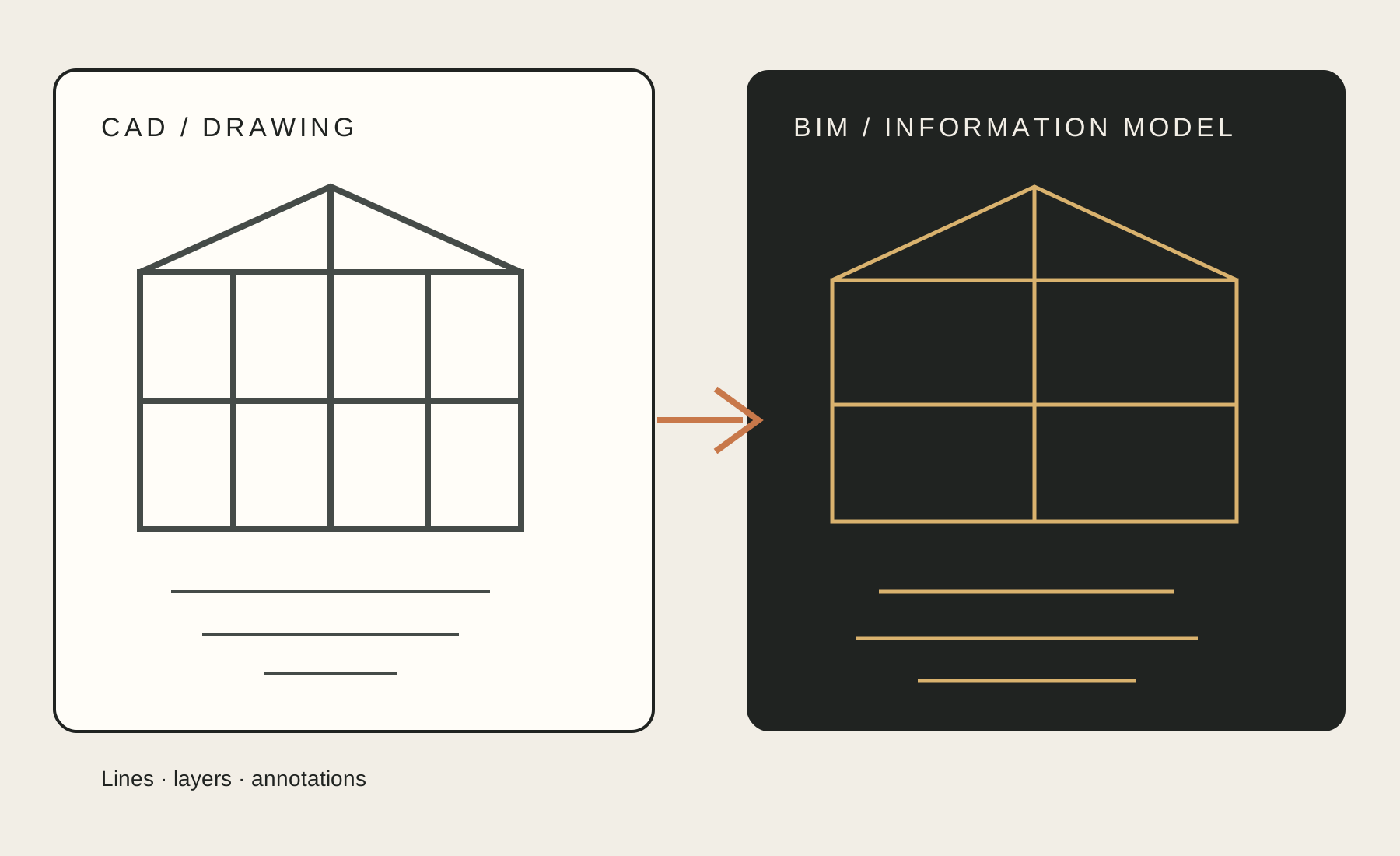
CAD is a method of computer-aided drafting and modelling. Lines, arcs, solids, blocks, layers and annotations can describe a building with high precision. The file is often organised around drawings or sheets, and the designer decides how those representations relate to one another.
BIM is a model-based information process. A wall, door or slab is not only a shape; it can carry a type, material, fire or acoustic property, location, phase, classification and relationship to other elements. The exact fields depend on the software, the project and the information requirements. BIM is therefore not a guarantee of data quality. It is a framework in which structured information can be created, exchanged and checked.
1. Drawing objects versus building objects
In a CAD plan, a wall may be represented by two parallel lines. A door can be a block. The drawing communicates the intended geometry, but the file does not necessarily know that the lines form a fire-rated wall or that the block is a door with a specific clear opening.
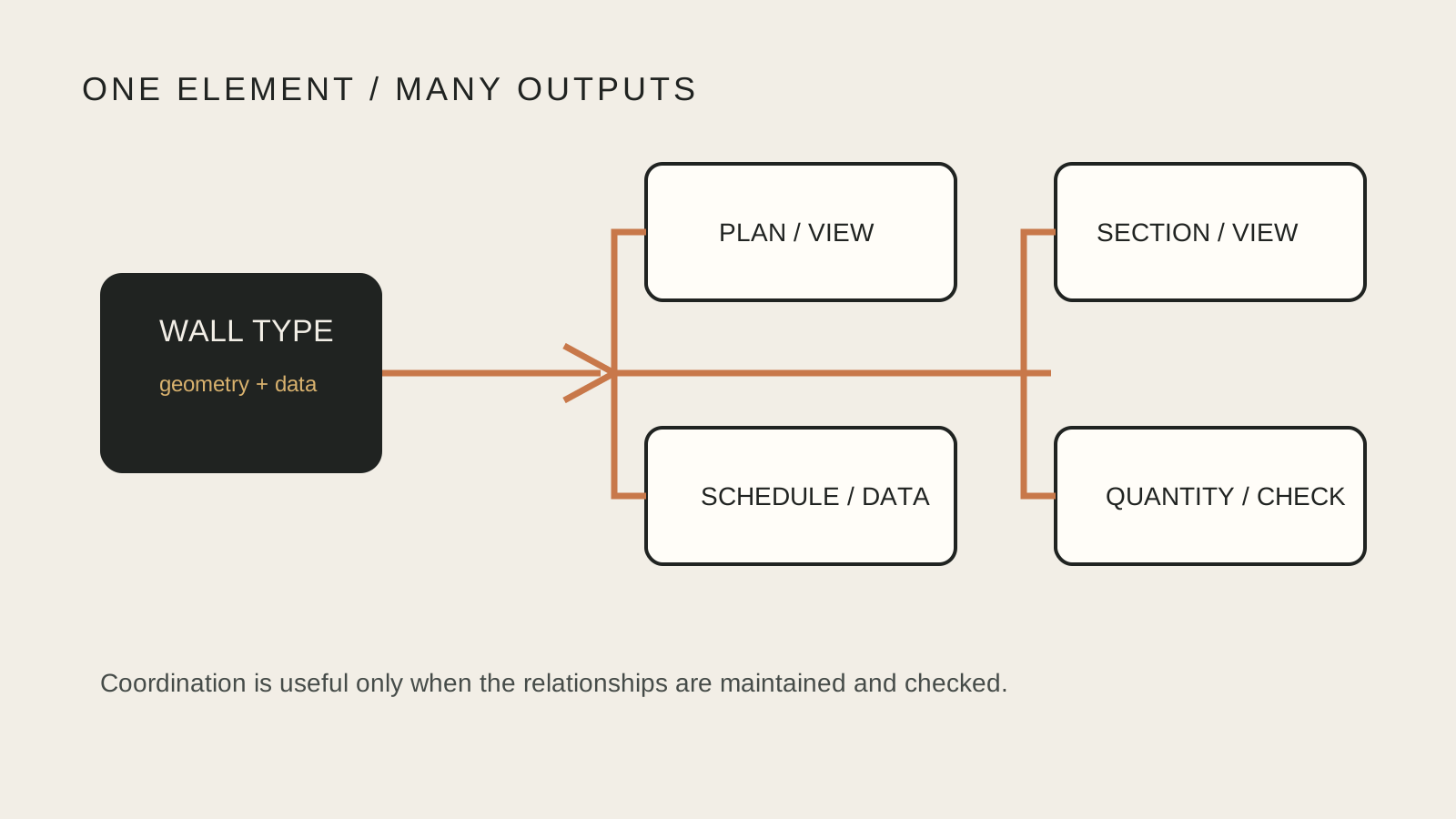
In a BIM authoring environment, an element is usually created as a building object. Its geometry is connected to a category, type and instance. Change the wall type and every relevant view can respond. This does not make the model “true” by itself; it makes the design intent more explicit and testable. A team still has to set the right types, constraints and parameters.
2. Geometry versus information
CAD is often strongest when the primary deliverable is controlled geometry: a detail, a diagram, a two-dimensional drawing set or a fabrication profile. BIM adds information that may be needed for decisions beyond the picture: quantities, specifications, phasing, asset data or coordination status.
That extra information has a cost. Unnecessary parameters create noise, slow authoring and suggest a level of certainty that the project has not earned. The useful BIM question is not “How much data can we add?” but “What information is required for this decision, at this stage, by this recipient?” ISO 19650 calls for information requirements and proportionate information management rather than indiscriminate modelling.
3. Independent views versus coordinated outputs
In a drawing-led CAD workflow, plans, elevations and sections can be separate files or separate areas of one file. This offers direct control, but coordination depends on disciplined checking. A window moved in plan can be forgotten in an elevation. A revised detail can remain on an old sheet.
A BIM model aims to generate multiple representations from a coordinated source. A change to an element may update plans, sections, schedules and quantities. The relationship is powerful but not magical: annotation, view filters, detail components and linked models can still create discrepancies. Coordination reviews and a clear issue process remain necessary.
4. File exchange versus information management
Sharing a DWG or DXF is an exchange of drawing data. It can be efficient and widely supported, but the receiving team must interpret layers, blocks, units and naming conventions. Sharing a native BIM model can carry richer relationships, yet it may introduce software-version, permissions, object-authoring and liability questions.
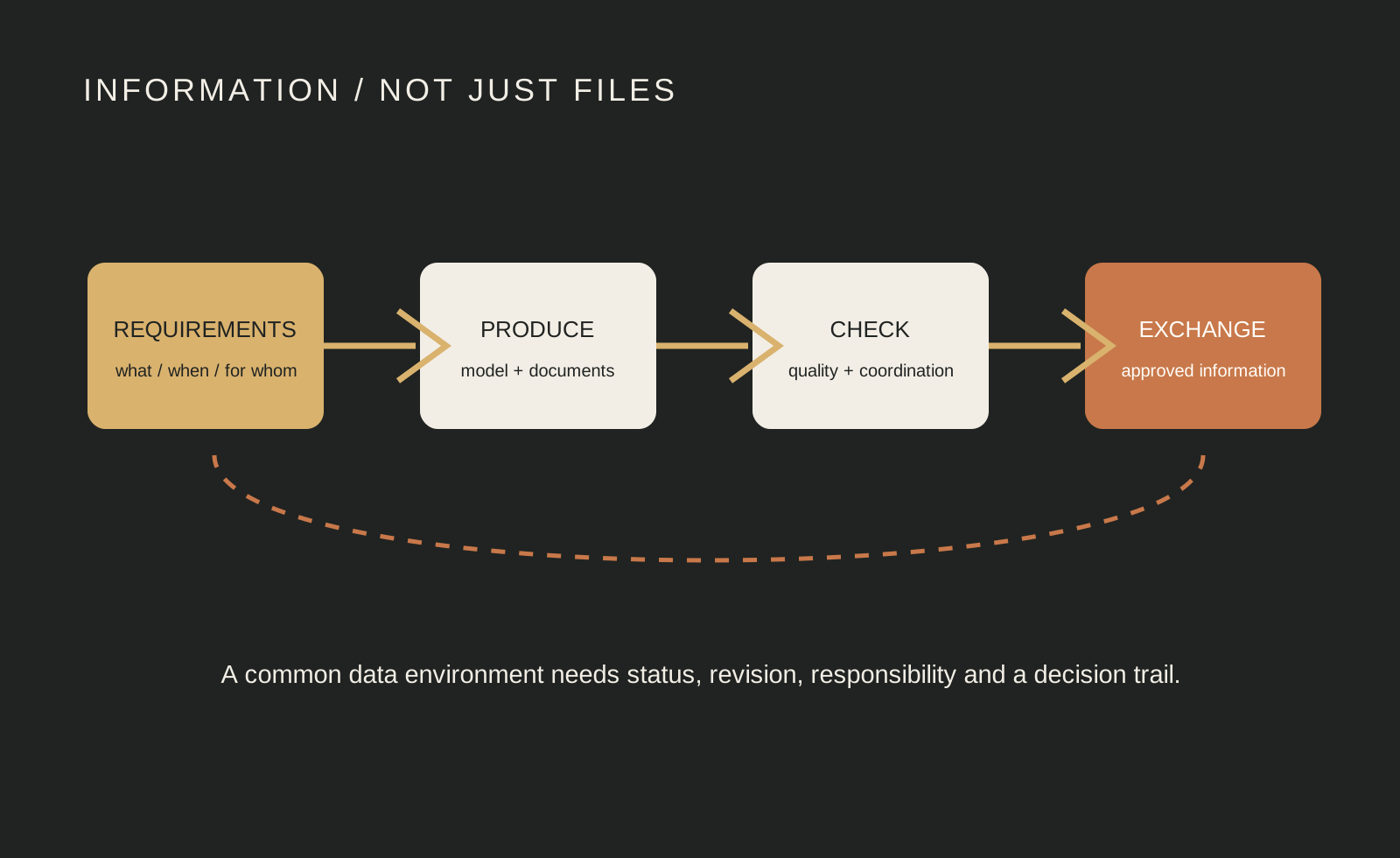
ISO 19650 treats information management as a process of producing, checking, approving, publishing and revising information containers. A model file is only one possible container. A project should define naming, status, revision, exchange dates and approval responsibilities rather than assuming that a shared folder equals a common data environment.
5. Individual drafting versus team coordination
CAD remains highly effective for focused production: a small planning package, a competition diagram, a two-dimensional detail or a consultant’s reference drawing. Its low barrier to opening and editing can be an advantage when many participants need quick graphic control.
BIM becomes more valuable as disciplines, packages and decisions multiply. Architectural, structural and MEP models can be federated for coordination, while clashes and interfaces are reviewed before construction. The benefit depends on agreed origins, coordinates, classifications, worksharing, model ownership and issue management. Without those agreements, BIM can simply move confusion into a more complex file.
6. Speed at the beginning versus value across the lifecycle
A simple CAD drawing can be faster to start, particularly when the design is exploratory and the output is only a graphic. BIM authoring often asks for more decisions earlier: levels, families, types, constraints and information requirements. Early setup can feel slower.
The return appears when the same information is reused. A coordinated model can support documentation, schedules, design options, quantity checks, construction planning and—if the client requires it—operations data. The lifecycle promise should not be exaggerated. An information-rich model that no operator can receive, update or trust is not a successful handover.
7. Flexibility versus rules and standards
CAD’s open graphic language lets a designer draw unusual geometry without first defining a family or object class. That flexibility is useful for early concepts and bespoke details. It can also make standards, quantities and downstream interpretation harder.
BIM’s rules make repetition, classification and checking easier, but they can constrain how a team thinks. A badly chosen family or over-locked constraint can turn a simple design change into a modelling problem. Good BIM practice keeps the model as simple as the decision requires and uses custom geometry only when it communicates something the standard system cannot.
8. Software choice versus open exchange
Revit is a BIM platform, while AutoCAD is primarily a CAD platform; the tools can still coexist. An architectural team may detail a particular condition in CAD, link survey information, author the building model in Revit and exchange coordination information through another platform. The workflow is a system, not a loyalty test.
Open exchange matters when a project includes different authoring tools or a long operational life. buildingSMART’s Industry Foundation Classes (IFC) provide an open, vendor-neutral way to describe building and infrastructure information, but an IFC export is not a perfect copy of every native feature. Before promising interoperability, test the exchange with real project objects, required properties, classifications and receiving software.
9. Skills, responsibility and project fit
CAD skill is not obsolete in a BIM office. Reading, cleaning, referencing and detailing drawings remain essential. BIM adds information thinking: modelling with purpose, checking dependencies, managing exchanges, documenting assumptions and understanding what a parameter means to the next person.
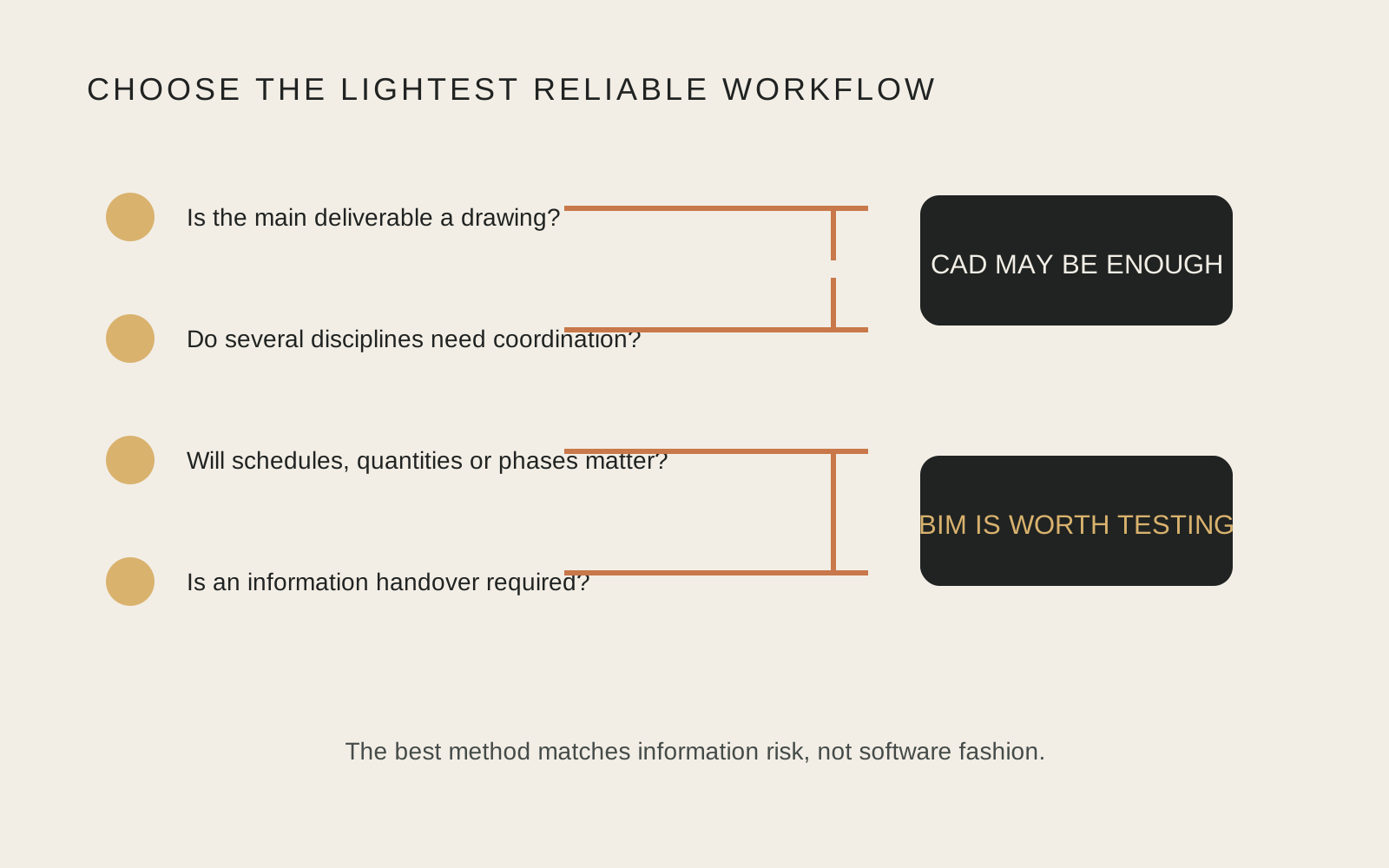
Choose CAD when the deliverable is mainly graphic, the project is small or the receiving party needs a simple drawing. Choose BIM when coordination, repeated documentation, multidisciplinary interfaces, quantities or lifecycle information justify the setup. Many mature practices use both. The professional decision is to match the method to the information risk, not to force every task into one tool.
A practical decision checklist
| Question | CAD may be enough when… | BIM is worth considering when… |
|---|---|---|
| Primary output | A drawing, detail or controlled graphic is the main deliverable | Several views, schedules or data outputs must stay coordinated |
| Team | One author or a small, clearly separated team is working | Architecture, structure and services need shared coordination |
| Change | Changes are limited and easy to review manually | Options and revisions must propagate across many outputs |
| Information | Geometry and annotations are sufficient | Properties, quantities, phases or asset data affect decisions |
| Exchange | The recipient requests a simple, stable drawing format | Native or open model exchange is defined and tested |
| Handover | No operational information is being promised | The client has a tested, resourced information handover plan |
Beyond the software label
BIM does not replace architectural judgement, and CAD does not prevent rigorous design. The decisive difference is whether the project treats information as a coordinated, purposeful resource or as a set of isolated representations. Start with the client’s decisions, define the information needed for them, choose the lightest reliable workflow, and test exchanges before the deadline makes them expensive.
For a small studio, that may mean drawing in CAD today and building a deliberately limited BIM model tomorrow. For a multidisciplinary project, it may mean setting information requirements before opening the authoring tool. In both cases, the best workflow is the one that makes responsibility visible and keeps the building’s information useful after the image has been issued.
Continue exploring: the tooling story continues in our 8 October briefing, which covers Graphisoft's 2026 portfolio and the arrival of AI assistants inside the modelling workflow. The layer now arriving on top of both workflows is assessed in our AI in architecture guide, and the information discipline behind models that stay useful at end of life is covered in our design for disassembly guide.




Frequently asked questions
Is BIM just 3D CAD?
No. BIM connects geometry with structured information, relationships and an information-management process. A BIM model can generate drawings, but its purpose is broader than visual form.
Is Revit the same thing as BIM?
No. Revit is a software platform used to author BIM information. BIM is the wider process, information structure and collaborative method.
Should every project use BIM?
No. The method should match project scale, coordination risk, information requirements, team capability and handover needs. CAD remains appropriate for many focused drawing tasks.
Does IFC guarantee perfect interoperability?
No. IFC supports open exchange, but each project should test real objects, properties, classifications, geometry and receiving software before relying on an export.
What should a small studio do first?
Define the decisions and deliverables that need coordination, create a modest information standard, test one real project exchange and expand only when the benefit is clear.
What is BIM (building information modelling)?
A process for creating and managing structured information about a building across its life: geometry connected to properties, classifications, relationships and documents, shared between the team through agreed standards. The model is the visible part; the information management around it is what makes BIM different from drawing.
What is the difference between BIM and CAD?
CAD organises drawings — lines and objects on sheets. BIM organises information — a coordinated model from which drawings, schedules and quantities are generated and kept consistent. That difference changes coordination, documentation, interoperability and the skills a project needs, which is what the nine comparisons in this guide work through.
Evidence and source notes
- Autodesk — CAD focuses on precise 2D and 3D drawings while BIM provides a data-rich approach connected to a building lifecycle.
- ISO — ISO 19650-1 sets concepts and principles for managing and exchanging information across the life cycle of built assets.
- buildingSMART International — IFC is an open, vendor-neutral standard for sharing building and infrastructure information.
- National Institute of Building Sciences — NBIMS-US defines BIM as a digital representation of physical and functional characteristics that supports lifecycle decisions.
- Autodesk Support — AutoCAD is suited to precise drafting while Revit supports parametric, multidisciplinary modelling, schedules and documentation.
- Pexels — The five editorial photographs are used under the Pexels licence and retain named photographer credits and source links.
Related architecture stories
- Loft Conversion Handbook: Types, Headroom, Stairs, Planning and Costs
Most UK pitched-roof houses can gain a loft room, but only when ridge height, roof structure and a compliant stair all line up at once.
- Insulating Solid Walls from Inside: Breathable Materials, Damp Risks and What It Costs
Internal wall insulation works when the wall is dry, the vapour strategy matches the masonry, junctions are detailed and ventilation is improved at the same time.
- MVHR Explained: Mechanical Ventilation with Heat Recovery for Healthy, Efficient Homes
How MVHR works, when it earns its cost, and the design details that decide whether yours is silent and effective or noisy and disappointing.
📌 Never miss a story — add World Arch Journal as your preferred source on Google: https://www.google.com/preferences/source?q=worldarchjournal.com